 AlloyAgent
Install JD Extractor Manually
Our latest update is currently pending review in the Chrome Web Store. Use this temporary method to get the latest features immediately.
1. Download Package
Download the latest extension package zip file from our secure Google Drive folder.
Download from Drive2. Watch Tutorial
New to manual installations? Watch this quick 1-minute guide on how to load extensions.
Watch on YouTubeInstallation Steps
1
Unzip the file
Locate the downloaded `.zip` file and extract it to a folder on your computer.
2
Open Extensions Page
In Chrome, go to `chrome://extensions/` or click the puzzle icon and select "Manage Extensions".
3
Enable Developer Mode
Toggle the switch in the top-right corner that says "Developer mode".
4
Load Unpacked
Click the "Load unpacked" button and select the folder you extracted in step 1.
Visual Guide
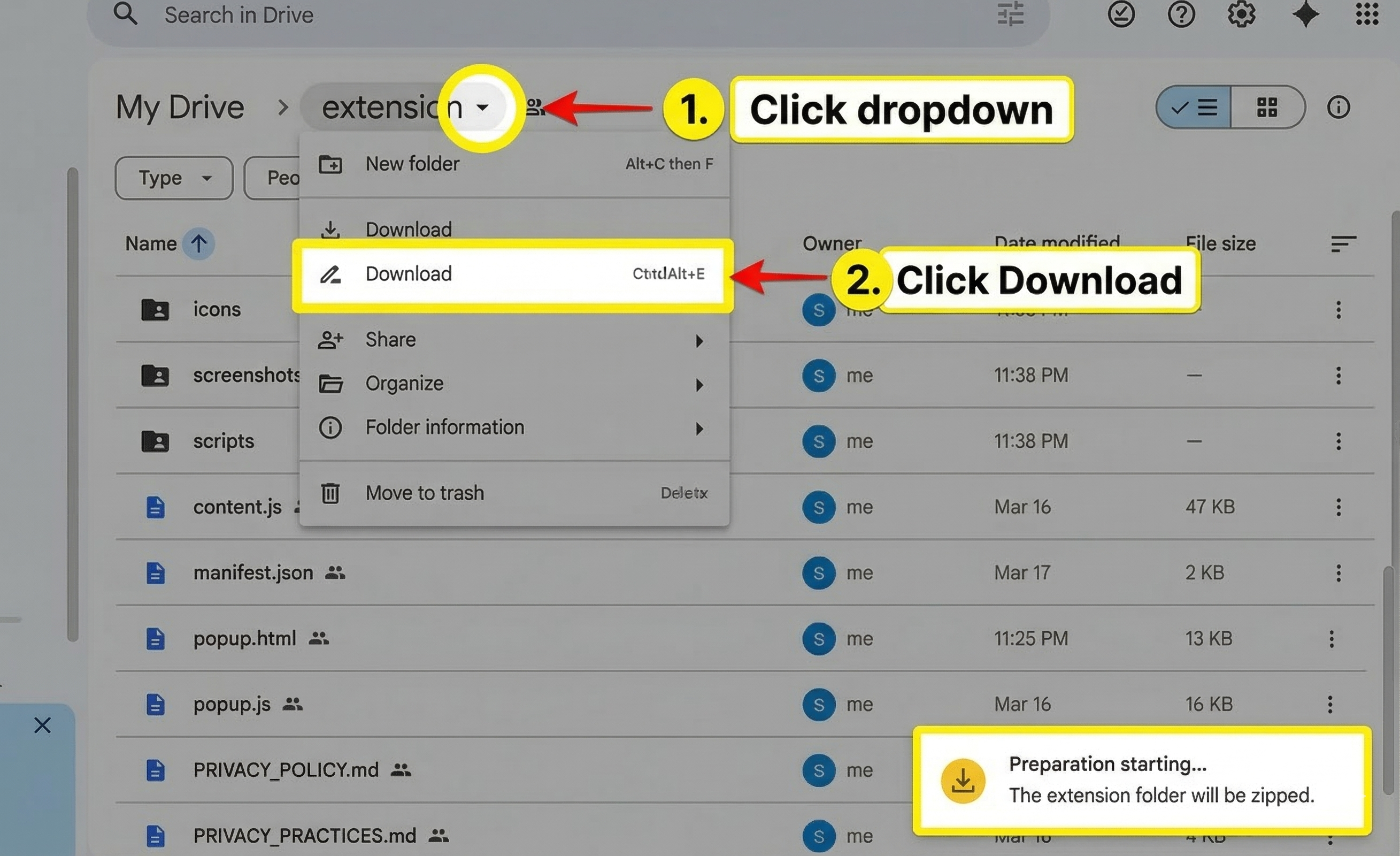
Step 1: Download and unzip the package

Step 2 & 3: Open extension manager and enable developer mode
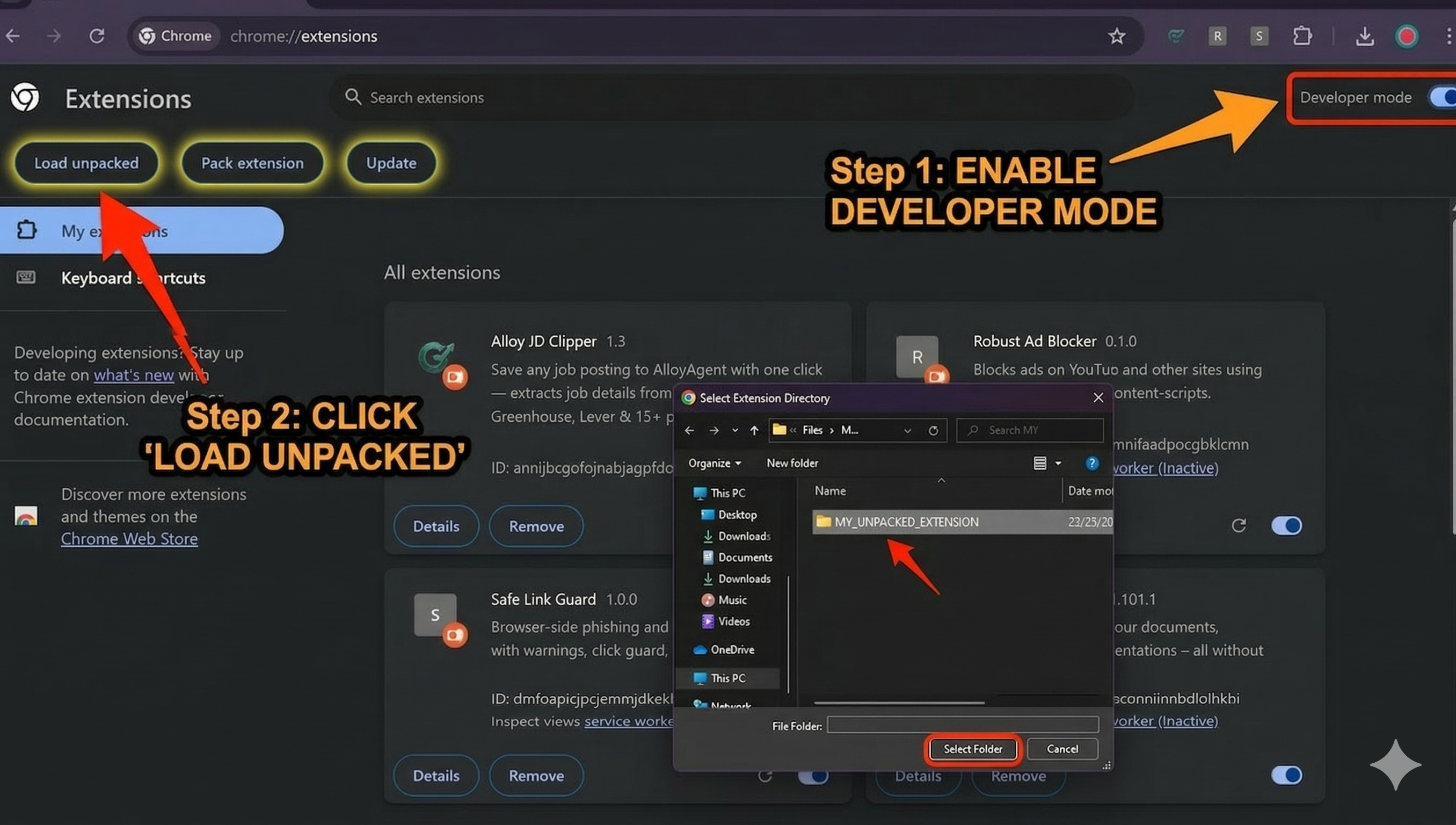
Step 4: Load the unpacked extension folder